
Containers and updates
The Containers page lists every container on the Docker host, with its version, its update status and what you can do with it.
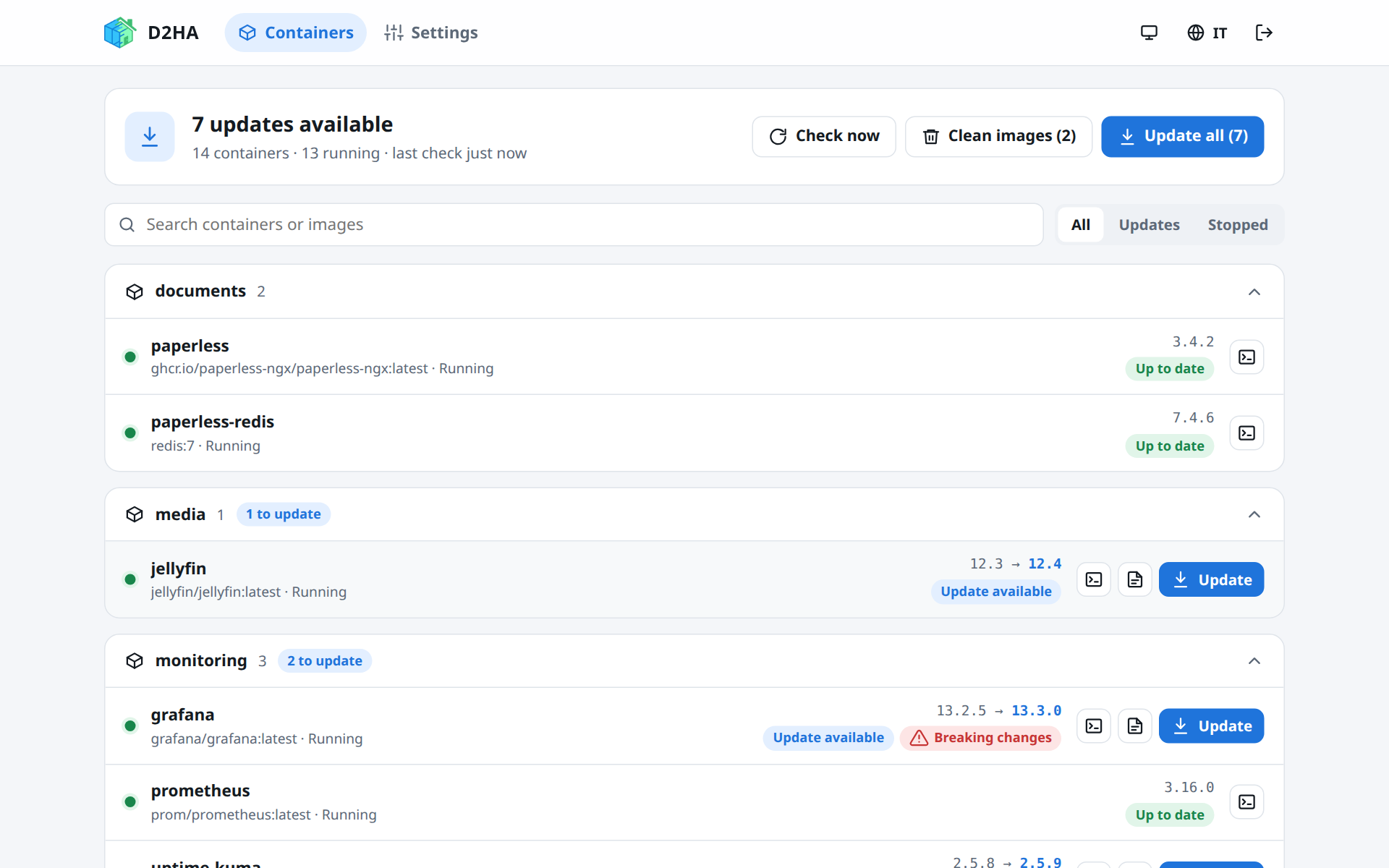
The container list
- At the top, a summary: how many updates are available, how many containers run, and when the last check ran.
- Containers are grouped by Compose project (stack); the ones started without Compose are under No stack, at the end.
- Search by container or image name, and filter: All, Updates, Stopped.
- Every row shows the state (running, stopped, unhealthy…), the image, the installed version and, when there is an update, the new one:
13.2.5 → 13.3.0.
Update status
| Status | Meaning |
|---|---|
| Update available | The registry has a newer image for the tag this container runs. |
| Up to date | The container runs the image the registry has for its tag. |
| Local build | The image was built on this machine: there is nothing to compare with. |
| Pinned | The image is referenced by digest or has no tag: nothing to follow. |
| Check failed | The registry did not answer or refused. Hover the badge for the reason, and see Troubleshooting. |
| Not checked yet | The first check has not reached this image yet. |
When the image does not say its version, D2HA shows the tag and a short digest, such as latest (3e9cc8d).
Checking for updates
D2HA checks every 6 hours by default; change it in Settings → Updates and session (1, 3, 6, 12 or 24 hours). Check now starts a check at once. After an update, D2HA checks that image again.
A check costs one HEAD request per image, which Docker Hub does not count against its pull limit. Images from private registries are checked through the Docker daemon, with the credentials of docker login on the host.
Release notes
When D2HA finds the GitHub release of the new version, the row gets a Release notes button. The notes open in D2HA, with a link to the release on GitHub, and a Breaking changes badge when they have a section with that name.
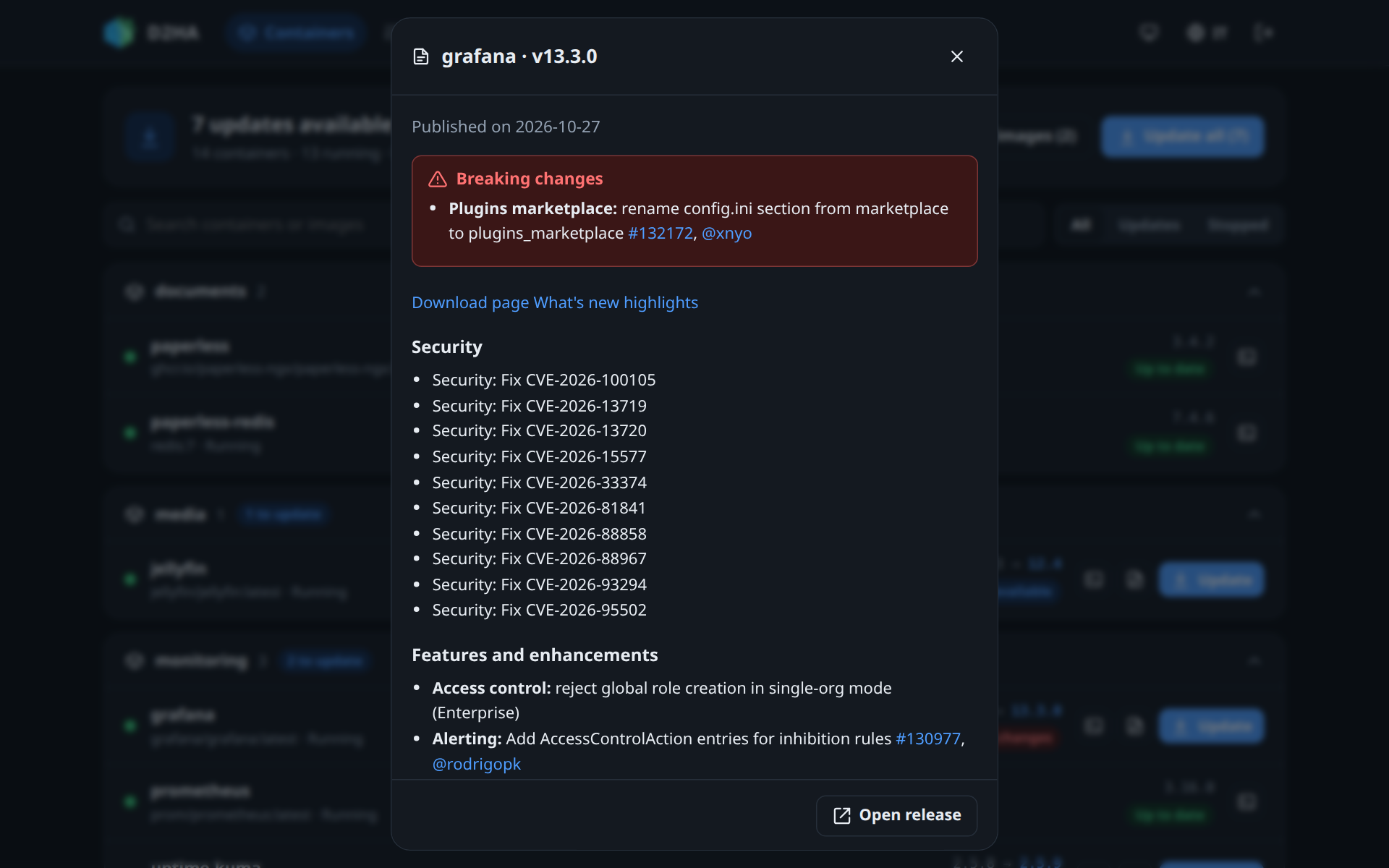
D2HA finds the notes when:
- the new image says its version, in the
org.opencontainers.image.versionlabel (orio.hass.version,org.label-schema.version,version); - it says where its code is, in the
org.opencontainers.image.sourcelabel, or it comes fromghcr.io; - the GitHub repository has a release whose tag or name is that version (a leading
vdoes not matter).
GitHub answers 60 requests per hour without a token. With many containers, add a token without scopes in D2HA_GITHUB_TOKEN (5,000 per hour): see Configuration.
Updating a container
Update asks for a confirmation (with a warning when the notes have breaking changes), then:
| Step | What happens |
|---|---|
| Downloading the new image | The container keeps running meanwhile. The progress shows the bytes downloaded. |
| Stopping the container | The old container is renamed <name>-d2ha-old and stopped. |
| Creating the new container | Same name and the settings you gave it, on the new image. |
| Starting | The new container starts. The service is offline only for these few seconds. |
| Removing the previous container | The old container is deleted. Its volumes stay. |
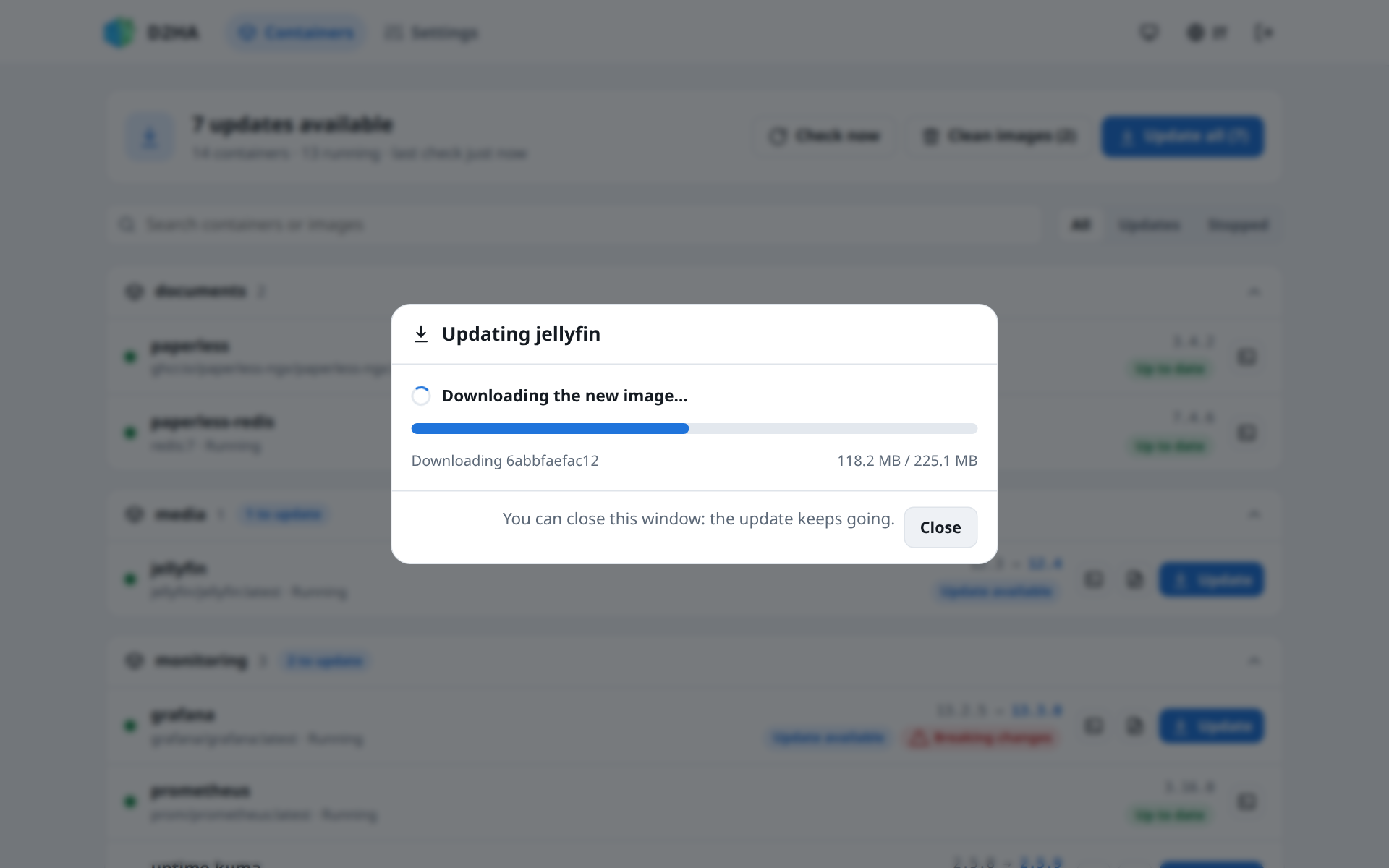
The new container keeps what you configured: environment variables, volumes (anonymous ones too), networks and aliases, ports, restart policy, labels, command and health check. Values that only came from the old image are dropped, so the defaults of the new image apply.
You can close the window: the update goes on, and the progress is there when you come back.
When something goes wrong
- Download of the image failed: nothing was touched, the container still runs the old image.
- The new container did not start: the previous one has been restored: Docker could not create or start the new container, so D2HA gave the old one its name back and started it.
A new container that starts and then fails is not rolled back: by then the old one is gone. A Telegram alert tells you, and the logs say why.
D2HA updates the Compose label of the image too, so a later docker compose up -d does not recreate the container again for the same image.
Update all
Update all (n) updates every container with an update, one at a time, each with its own restart of a few seconds. At the end D2HA says how many were updated and which failed.
What D2HA does not update
| Container | Why |
|---|---|
| D2HA itself | It would stop halfway. The row shows a D2HA badge. |
| The socket proxy | D2HA reaches Docker through it: the host name in DOCKER_HOST. The row shows a Proxy badge. |
| Local builds and pinned images | There is no newer image to download. |
| Everything, in read-only mode | With D2HA_READ_ONLY=true D2HA only reports. |
Update those by hand, in the folder of their compose file:
docker compose pull
docker compose up -d
Cleaning images
Clean images (n) deletes the images that no container uses, running or stopped, and says how much space it freed. They can be downloaded again when needed.
Something wrong or missing on this page? Open an issue.